


Harmony
Learning, wherever work happens
Harmony helps learners find answers and admins get things done inside Docebo, inside the AI assistants your team already uses, and across any web-based workflow.













Your LMS has the answers but your people can’t find them.
Harmony changes that to give every learner instant answers and every admin a platform expert on demand.
One intelligence layer for learners and admins
Ask anything. Get the answer.
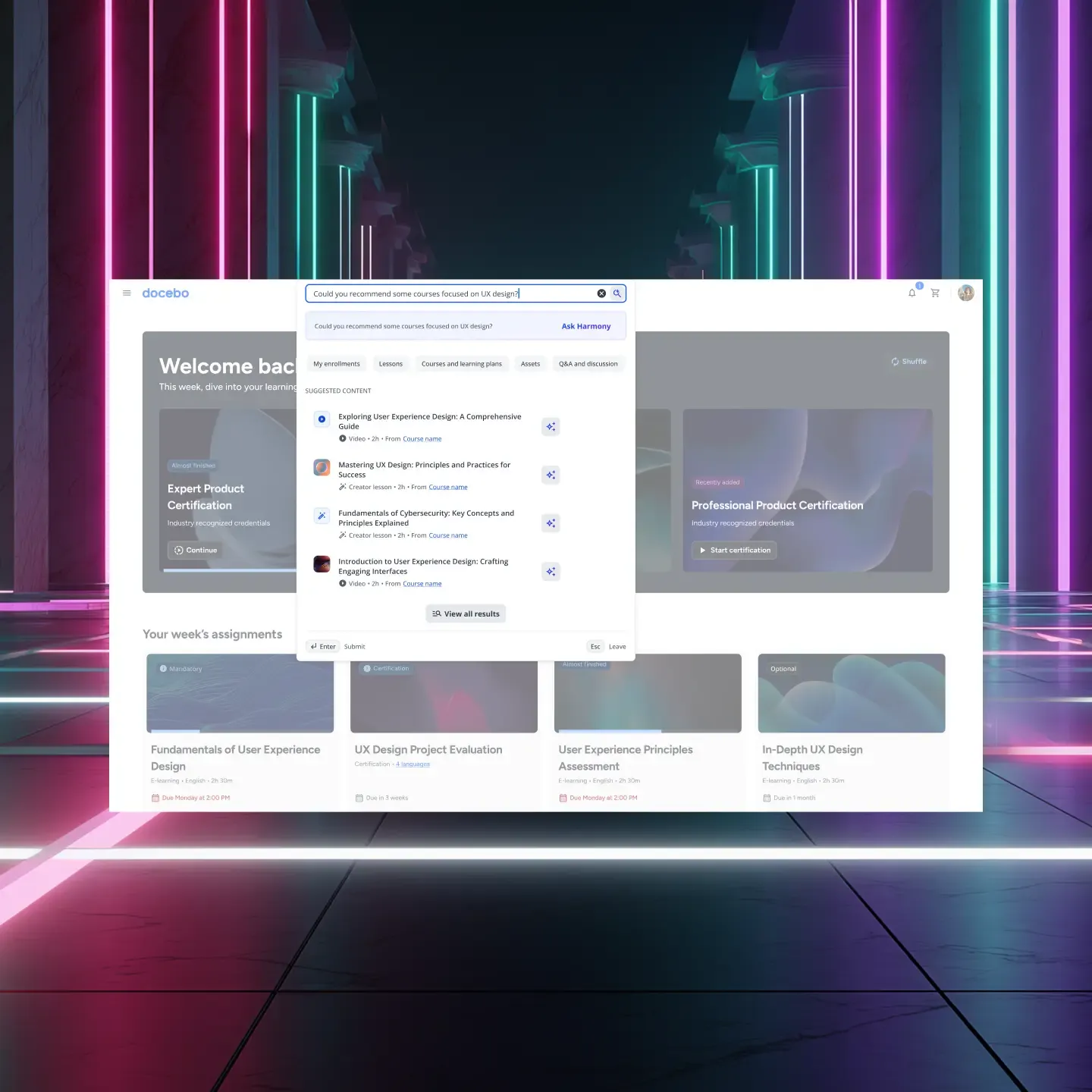
Spend time learning, not searching. Harmony finds what you need and boosts engagement with semantic search and personalized recommendations. No filters or keywords.
An expert in every admin’s workflow
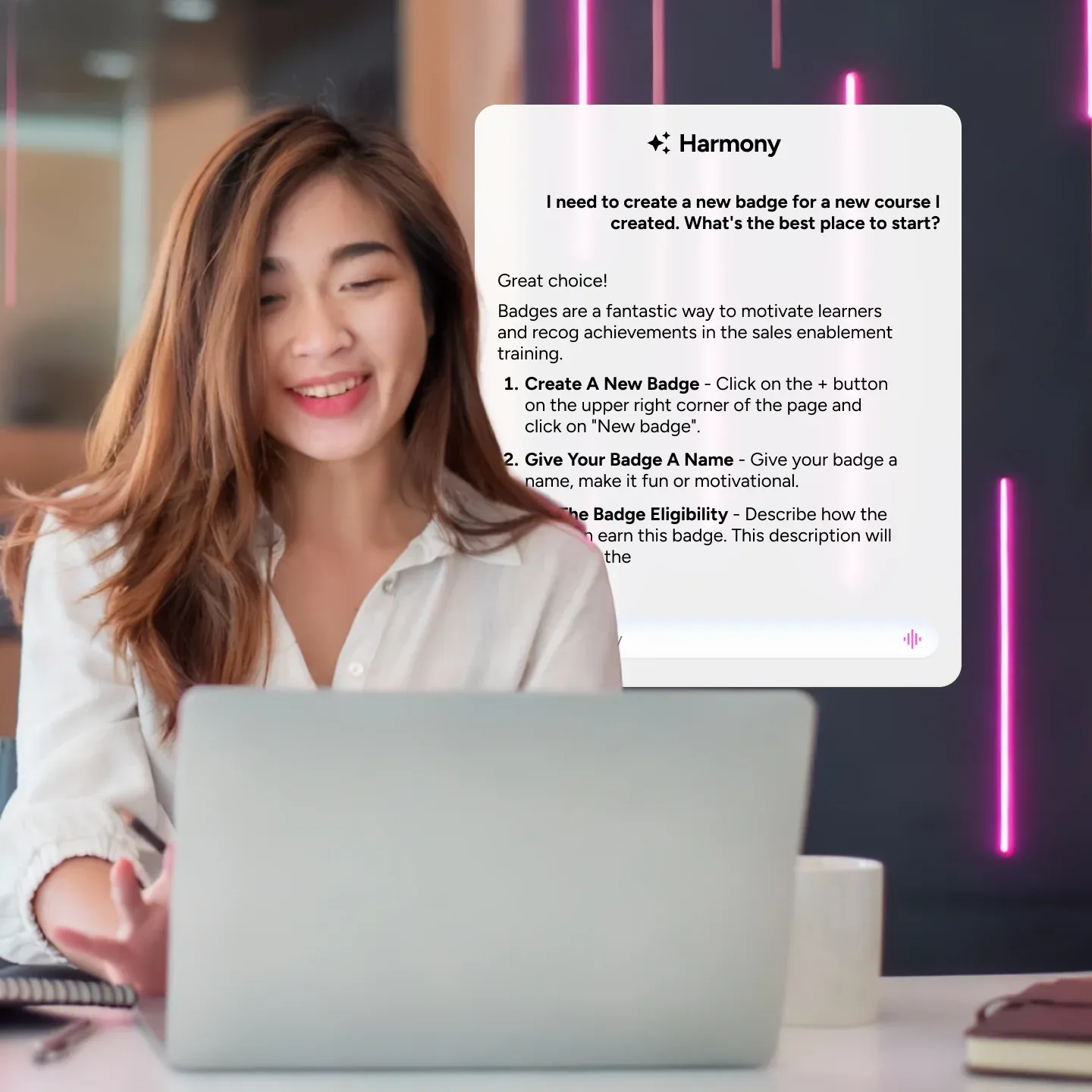
No more support tickets. Harmony answers admin and power user questions directly in the platform, with step-by-step guidance and real time help.
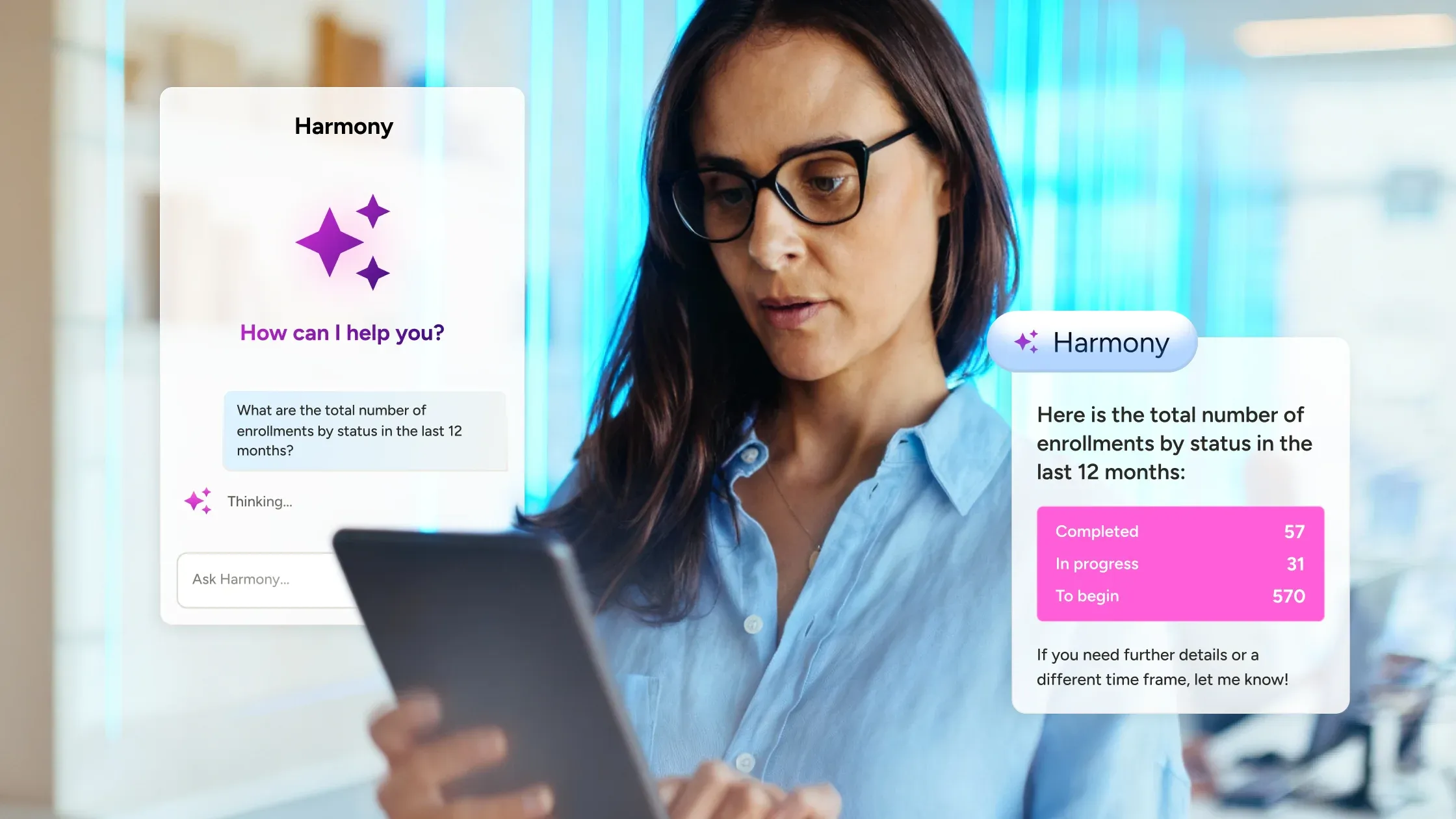
Get insights without running a report
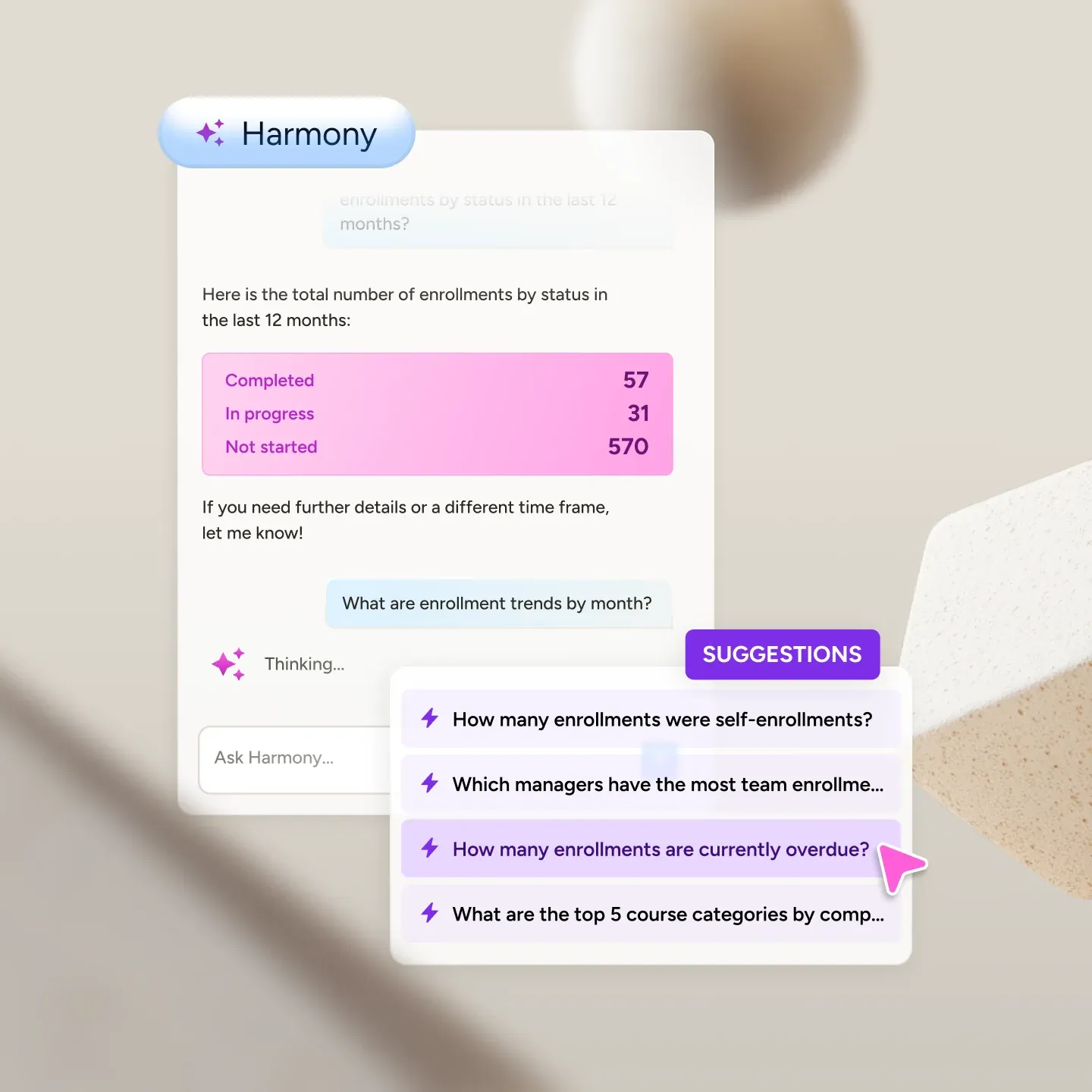
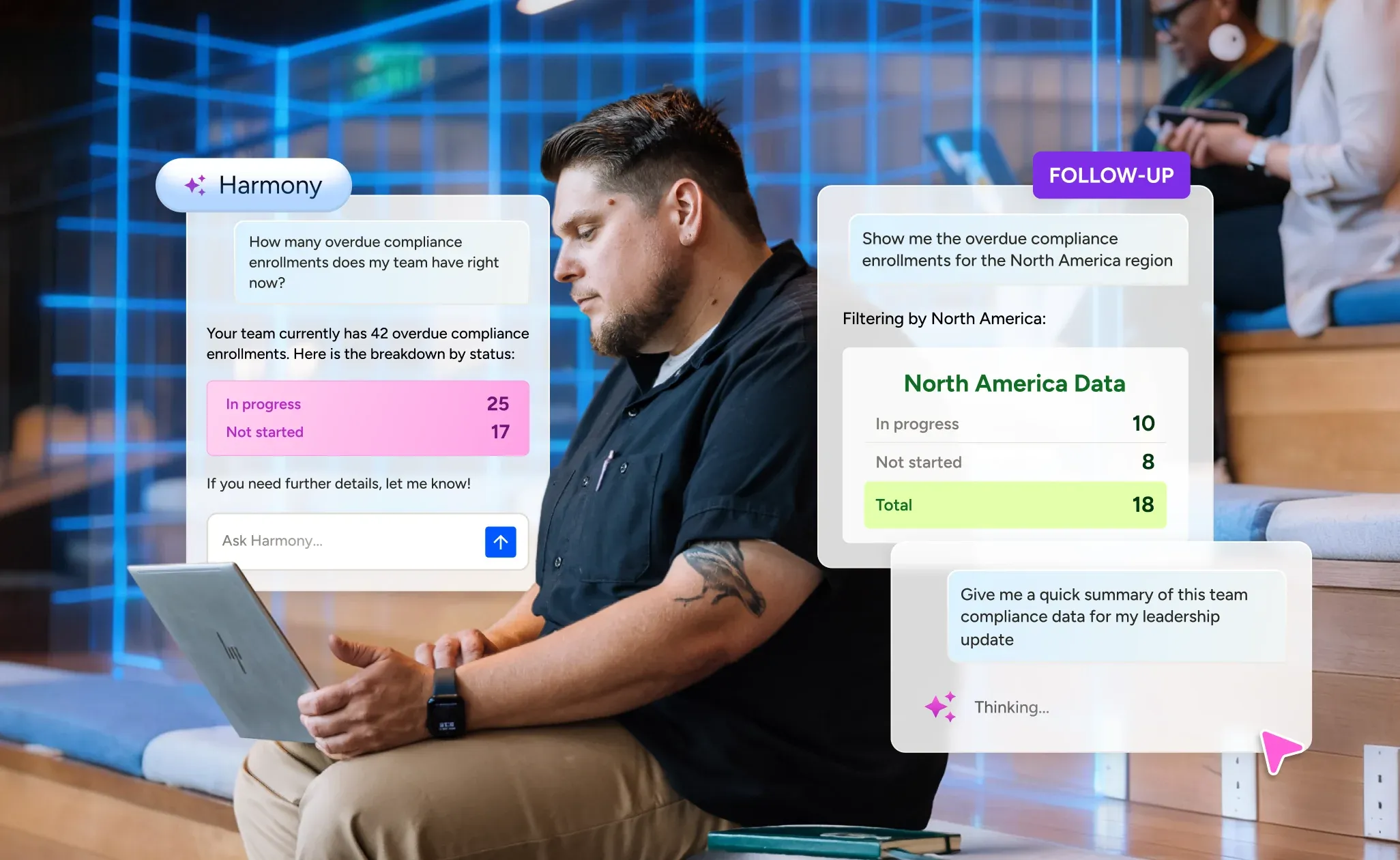
Describe what you need to know — compliance rates, enrollment trends, team performance — and Harmony pulls the answer from your learning data directly. Ask a follow-up to go deeper, all without leaving the admin view.
Learning intelligence wherever your people go
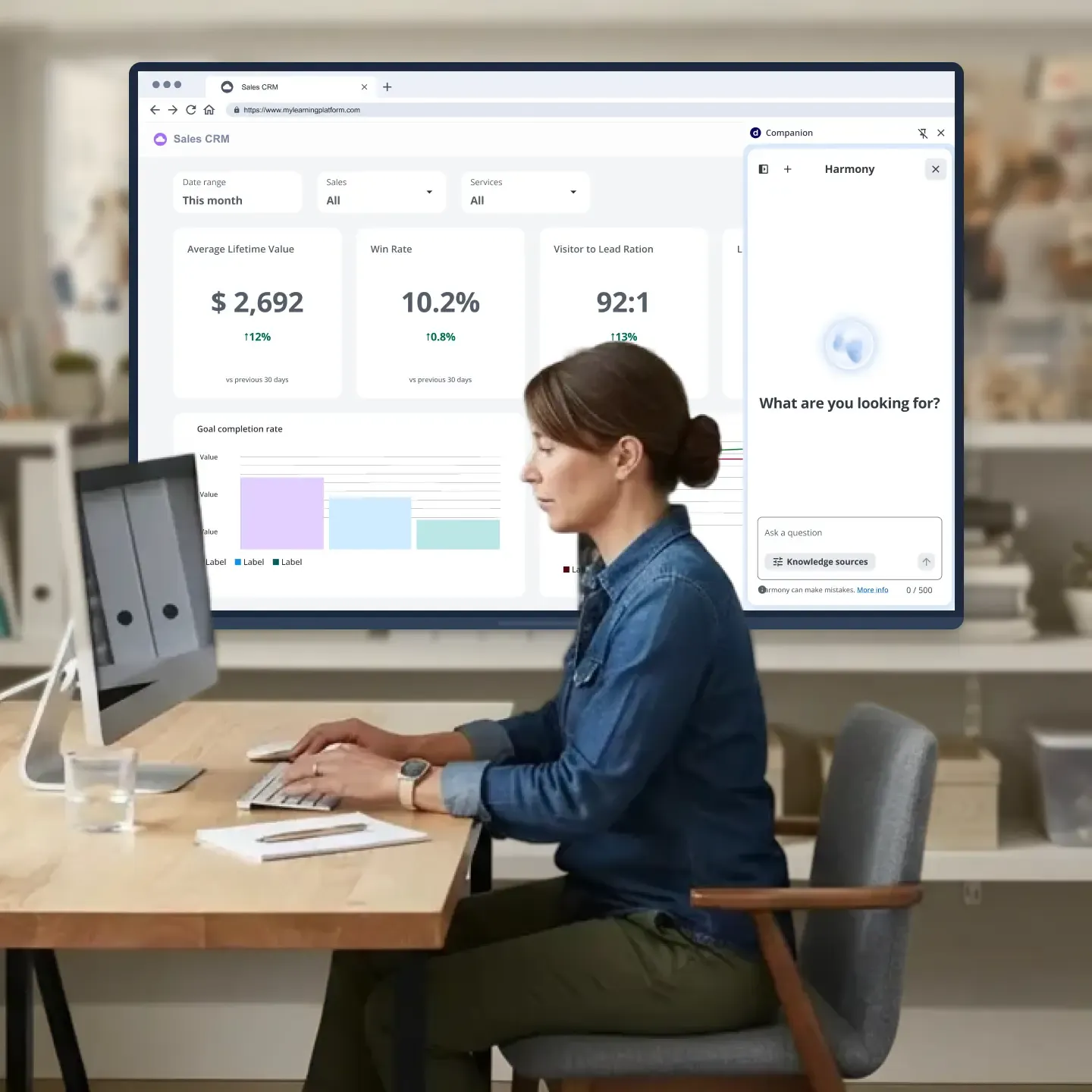
Inside a course, Harmony Tutor answers questions grounded in the content they’re taking. The Companion browser extension puts Harmony into any web-based workflow, so learning reaches your people wherever they’re working. And with MCP Server, Harmony connects directly to Claude, Microsoft Copilot, and ChatGPT.
What’s new
Harmony just got better
Three new capabilities, available now.
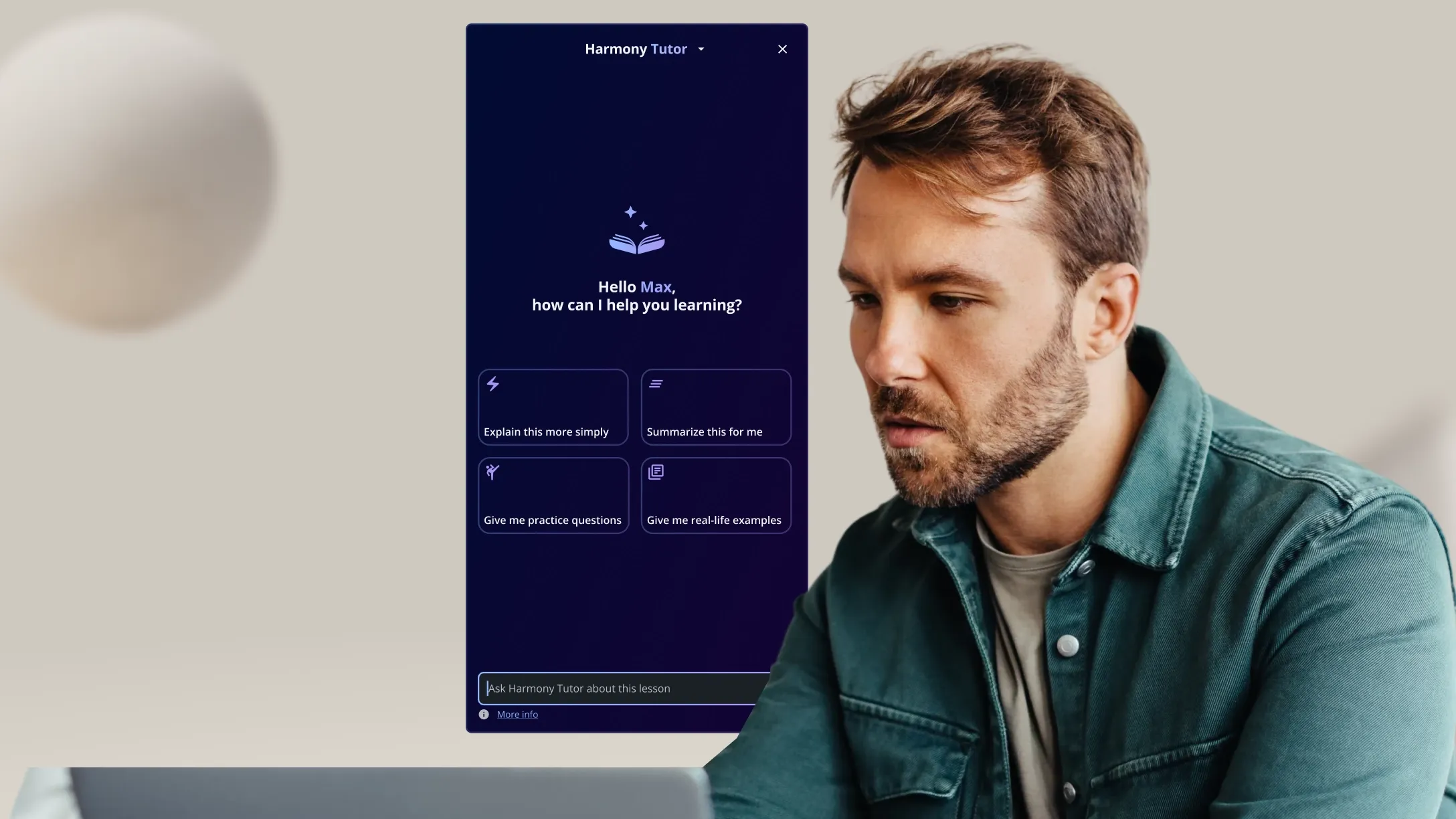
Harmony Tutor
A personal tutor, built into every course
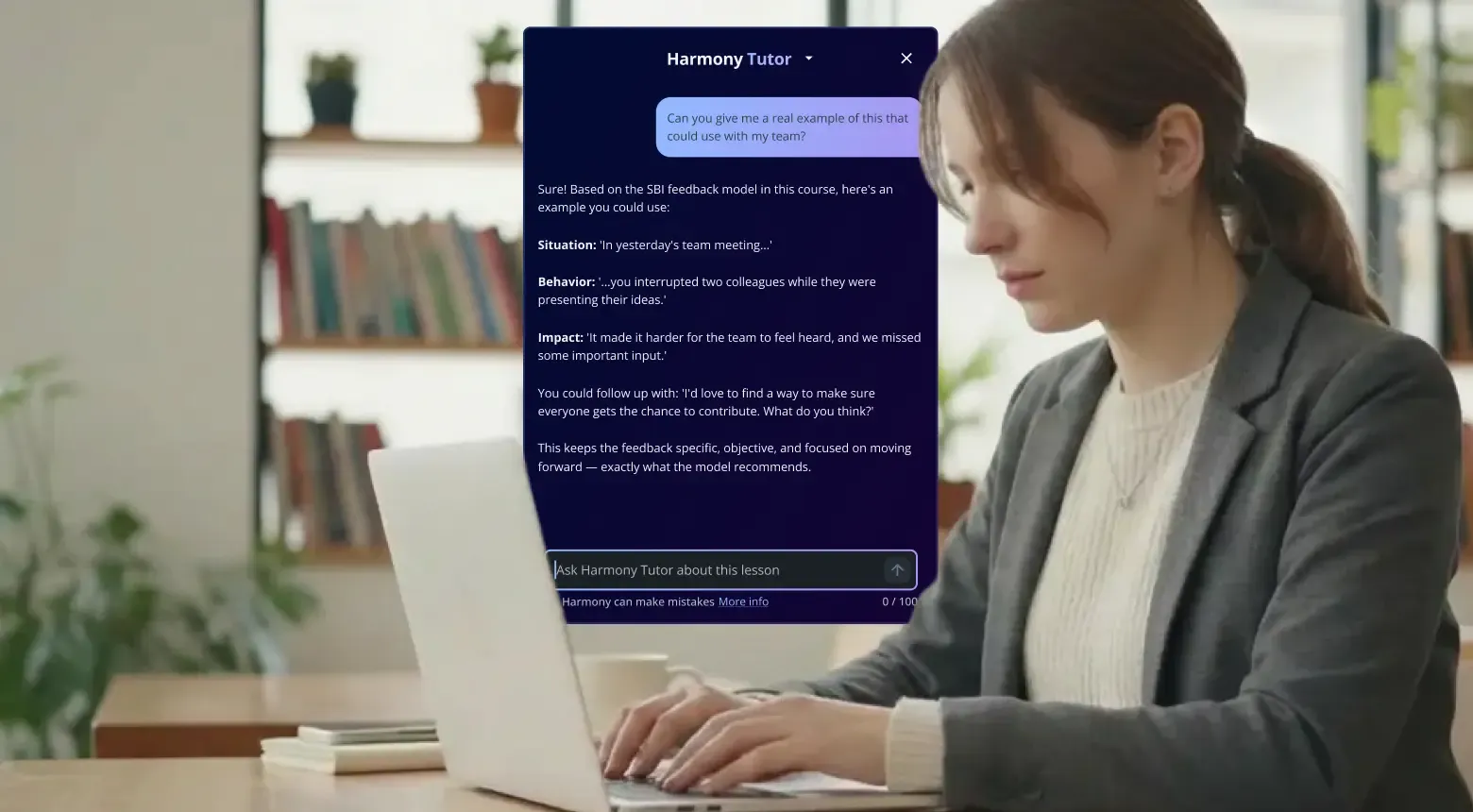
Give every learner an on-demand study companion available 24/7. Harmony Tutor explains concepts, summarizes content, and guides learners through material so they feel more prepared and confident.
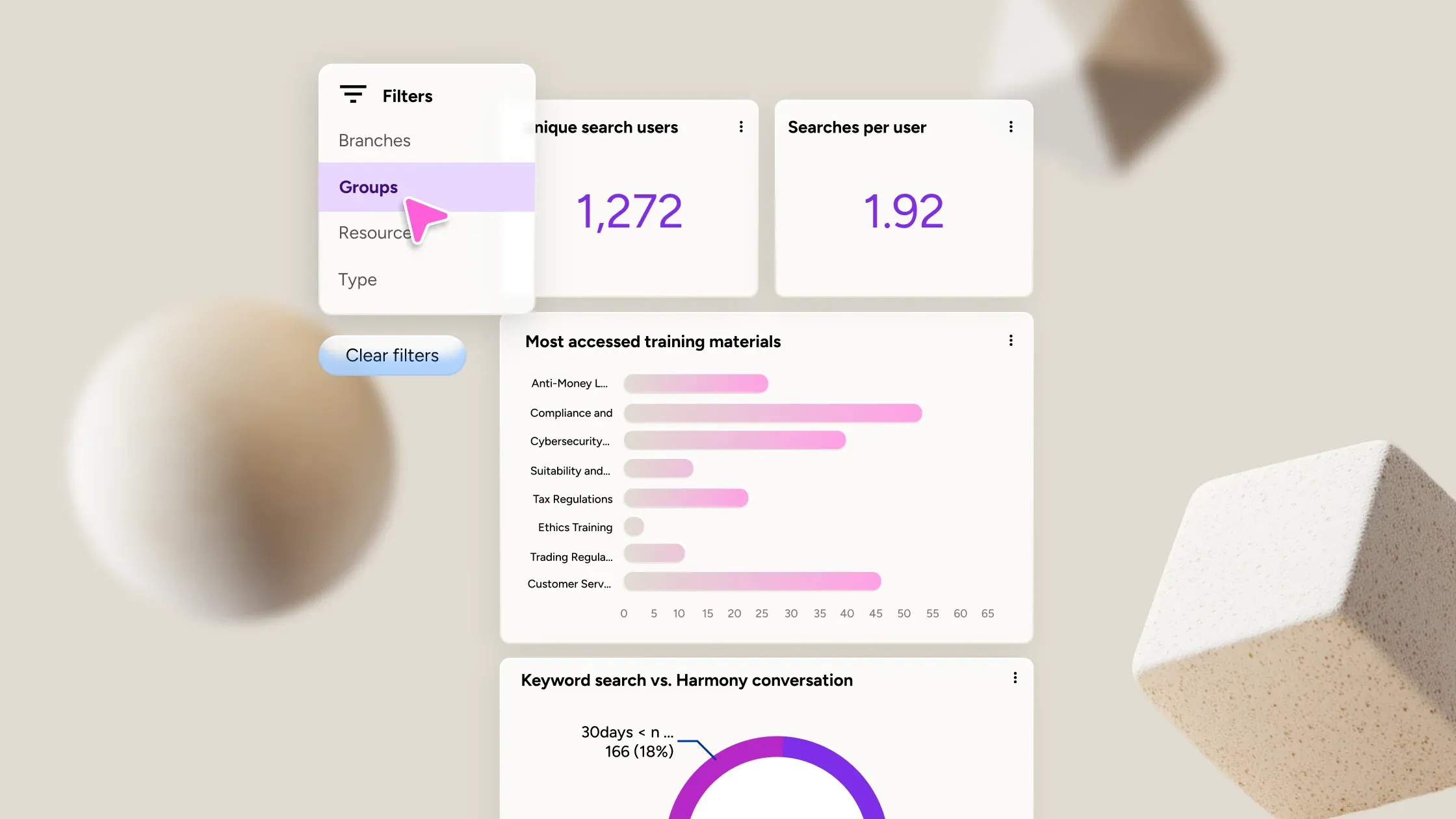
Search Analytics Dashboard
See how your learners search, and what they’re actually looking for
See exactly how your learners are searching — how often, what they’re looking for, and whether they’re using Harmony or traditional keyword search.
Conversational Insights
Pull insights from learning data without a report
Admins can query enrollment data, compliance rates, and learning trends in plain language inside Harmony Copilot. No dashboard required.


Cheney Dent
Senior Learning Platform Specialist, Booking.com
“Docebo is a forward-thinking company and their platform is highly customizable and that’s exactly what we desperately needed.”
800+
Hours saved each year



Dave Kraige
Vice President of Advanced Solutions, KCF Technologies
“We’ve expanded to teaching several different audiences, including customers, partners, and employees. We have over 500 courses now for all of those different audiences.”
$1,500,000
Saved in training costs



Cheryl Quang
CEO and Founder, Online Courses Australia
“Docebo has allowed us to create an education engine that’s very plug-and-play and very scalable.”
40%
Lower LMS maintenance costs


Petr Zavadil
Senior Team Lead, Flix Global Learning Management Systems
“If you’re a business of a certain size with ambition to grow, especially geographically, then Docebo ticks the boxes for everything that you need—not only now, but also in the coming years.”
135,000€
Saved in onboarding each year



Michael Yan
Curriculum Developer, Brooks Automation
“Our journey with Docebo has been transformative. The platform’s ease of use, combined with its powerful customization options, has allowed us to meet the unique needs of our diverse audience.”
-20%
Training costs
Find your use case
LEARNER
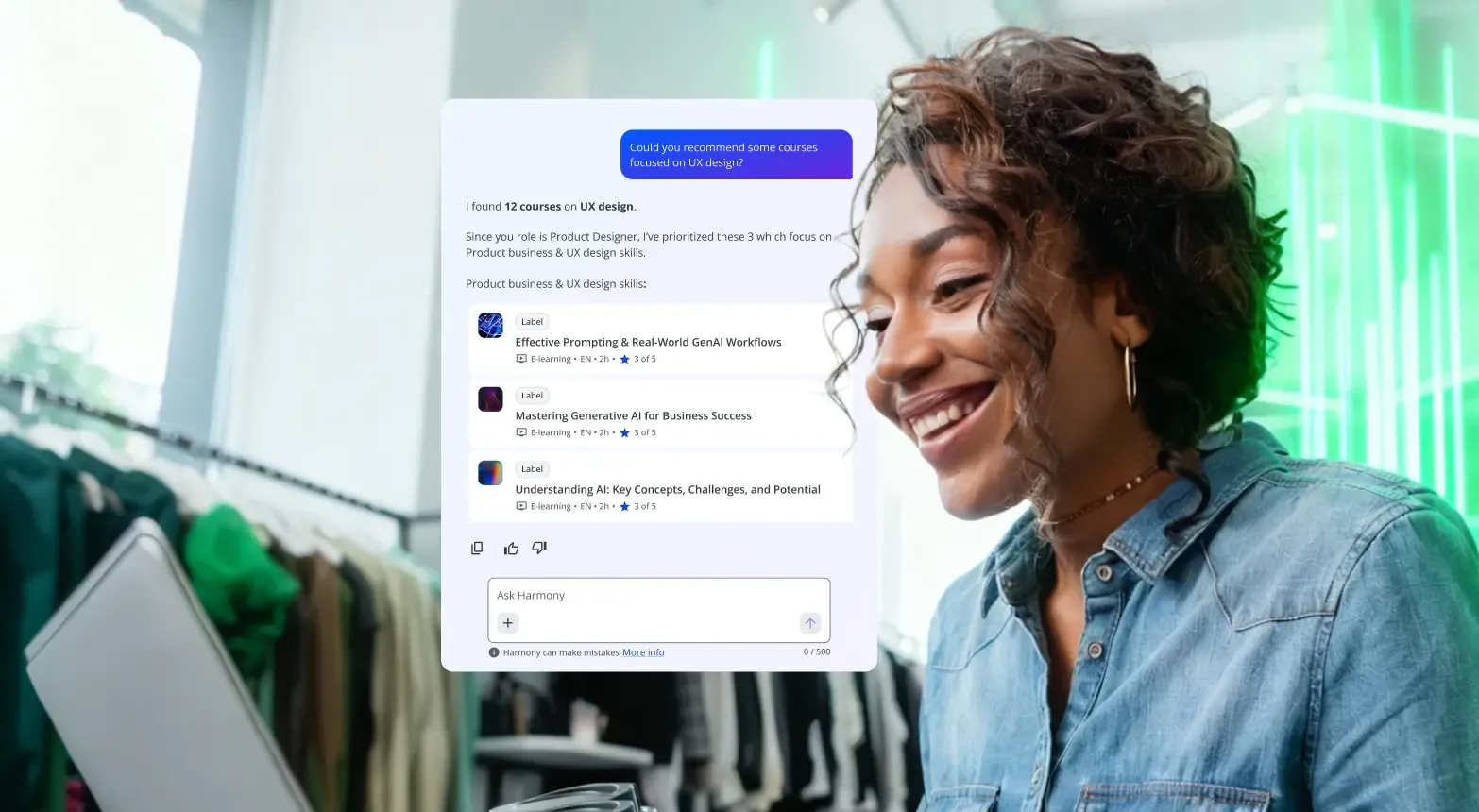
A junior designer needs to improve their skills and doesn’t know where to start
They ask Harmony for UX design courses to improve their skills. Harmony provides a curated list of relevant courses scoped to their role. They enroll in one click.
Admin
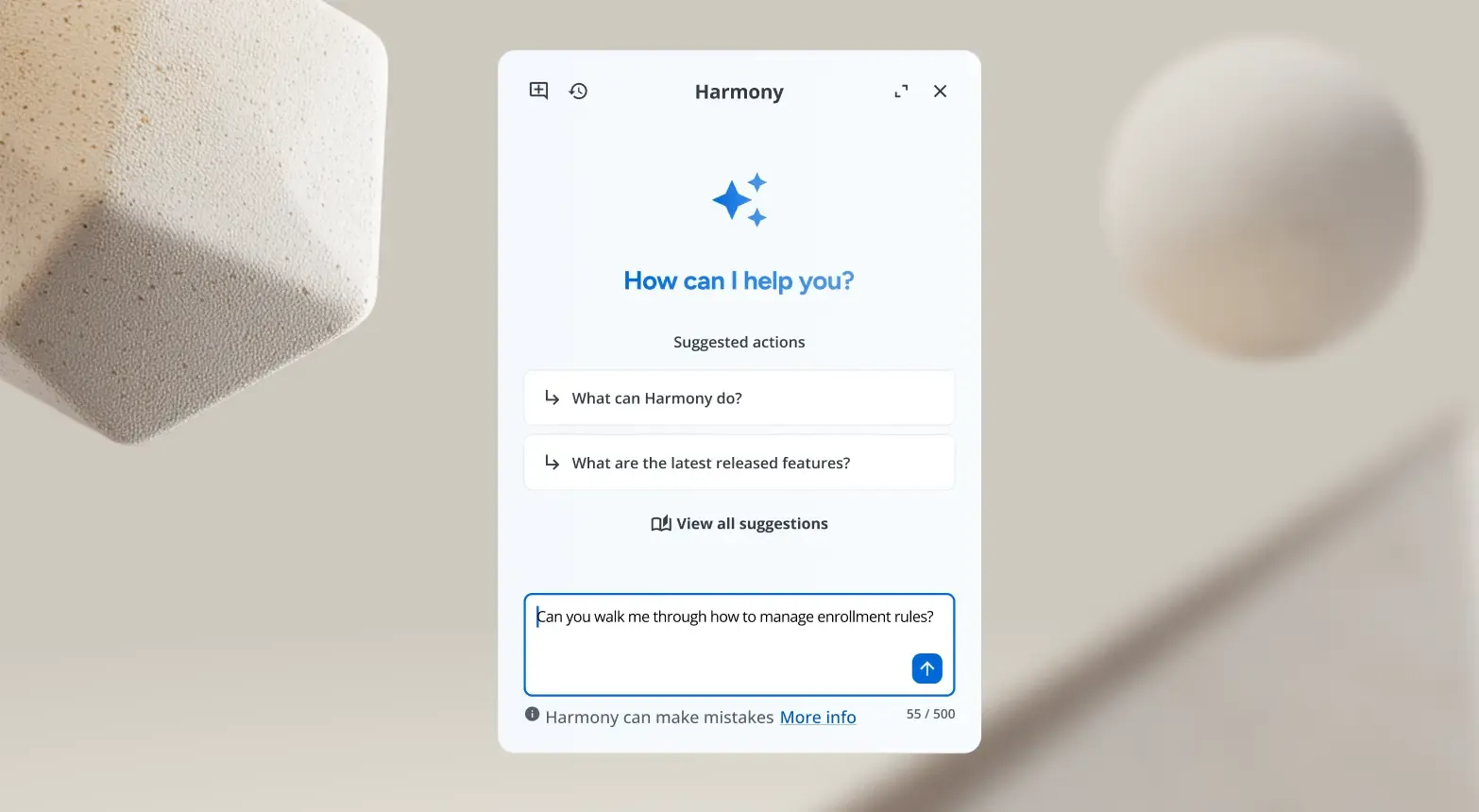
A new admin doesn’t know how to change enrollment rules.
Harmony walks admins through the configuration step by step and navigates them directly to the right page. No support ticket required.
Admin
A manager needs to know how many overdue compliance enrolments their team has
They ask Harmony directly and get a breakdown by status in seconds. Then follow up to filter results by region and they have everything needed for their leadership update, without opening or generating a single report.
Learner in a course
A manager can’t connect an abstract leadership concept to a real situation
Harmony Tutor is used to provide a simpler explanation and a concrete relevant example for their team. They finish the course with higher confidence and no drop-off.
Flow of work
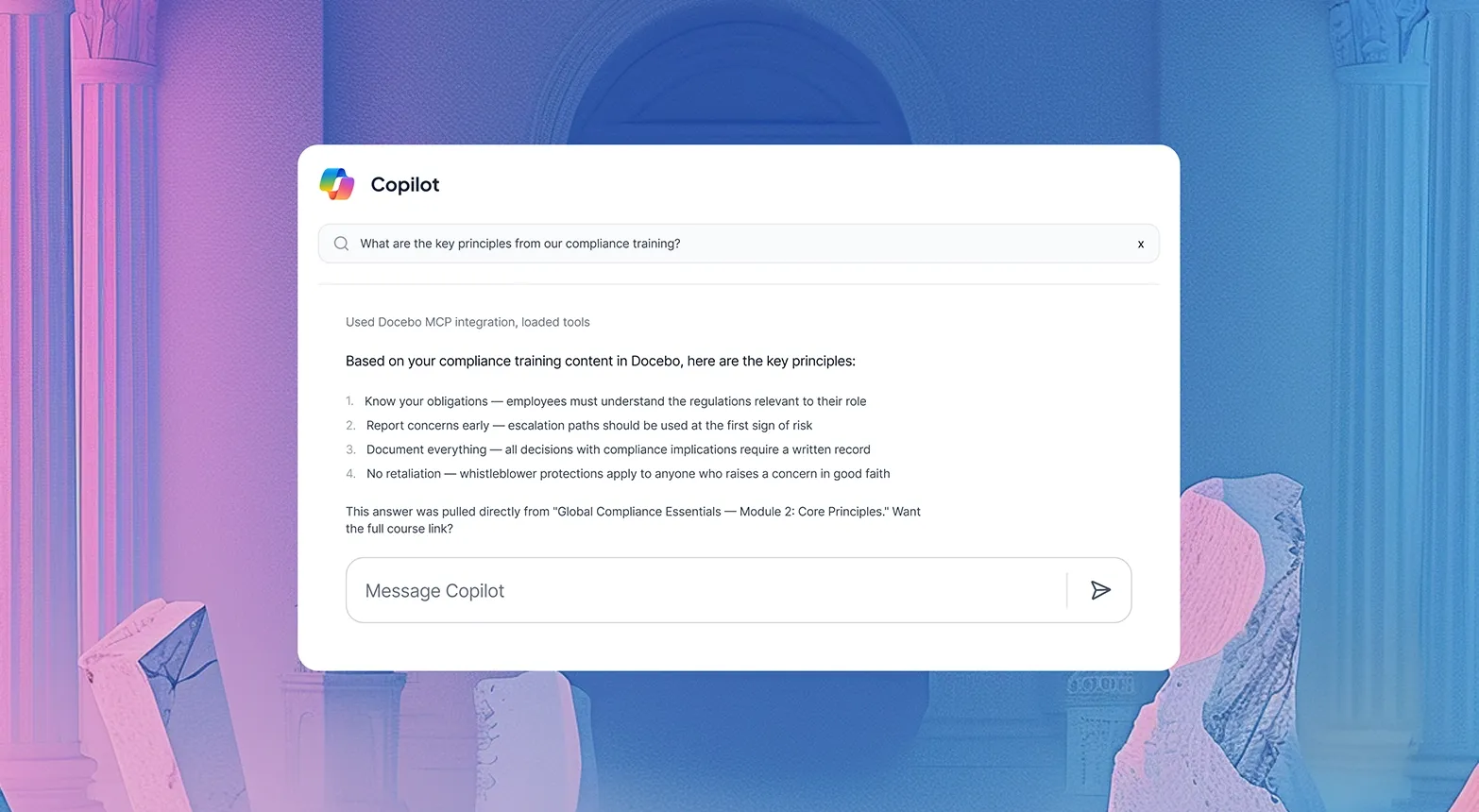
An employee needs a refresher on recent compliance training
They ask Microsoft Copilot which calls Harmony via MCP Server. They get the answer without switching tabs or logging into the LMS.
Security and integrations
Stay secure. Your data never trains our models.




Harmony integrates with your tools



Related products
Learning management
Make learning twice as effective in half the time.
Companion
Surface the right course or resource inside any web-based tool.
Creator
Build engaging content in minutes not months.
MCP
Connect Docebo to Copilot, ChatGPT, and Claude.

Frequently asked questions
Harmony is Docebo’s AI intelligence layer that is more powerful than regular AI-powered LMS assistants. It helps learners find answers from their organization’s content, gives admins a platform expert embedded in their workflow, and connects learning intelligence to the AI assistants your team already uses like Claude, Microsoft Copilot, and ChatGPT.
Harmony adapts based on your role. Learners get direct answers from your organization’s content, course-specific tutoring, and content discovery. Admins and power users get the same conversational intelligence plus platform guidance, step-by-step navigation support, and conversational analytics.
Yes. Harmony is available across all three roles. Learners access content answers, discovery, and in-course tutoring. Admins and power users share the same capabilities: platform guidance, navigation support, and conversational analytics but scoped to their specific permissions. So a power user only sees actions and suggestions relevant to what they’re authorized to do.
Yes. Admins can turn Harmony on or off entirely, or enable specific capabilities through the AI Control Panel. This includes controlling what content Harmony can access, which user groups have access, and which features are active, giving IT and L&D teams full governance over rollout.
These links have you covered:
- Our Trust Center includes information on security, transparency, and human oversight.
- Visit AI Settings to learn about the fine control we give customers over how our AI tools work with their systems and data.
Our AI FAQs dive deeper into common questions about Docebo’s AI features.
Most LMS AI assistants work only inside the LMS and serve either learners OR admins, not both. Harmony is different:
- Multi-role: Serves learners and admins in one system
- Multi-surface:Works inside your LMS, inside AI assistants (via MCP Server), and across any web tool (via Companion)
- Context-aware: Knows what page you’re on, your role, and your permissions—not a generic chatbot
Harmony is a learning intelligence layer, not just an AI feature.
No. Harmony is designed to augment and empower administrators, not replace them. It handles repetitive tasks so you can focus on strategic initiatives, learner engagement, and business impact. You remain in control of all decision-making while Harmony clears administrative obstacles.
Yes. Harmony is built to meet enterprise security and data privacy standards. It operates within Docebo’s trusted environment and respects all user roles, data access levels, and governance requirements. Content added to the platform remains secure and your data never trains our models.